Food Ordering & Delivery App — Concept Design (Course Project)
IMPORTANT: This is a fictional concept project created solely for design exploration. It is not affiliated with, endorsed by, or associated with any real company, brand or organisation — including any that may have similar names. All branding, visuals and content were created for portfolio purposes only.
Overview
Project
Designing an intuitive mobile flow for browsing food, customising orders, and scheduling deliveries with ease.
Duration
Dedicated weeks to clarifying my pain points, then progressed through the work logically and systematically.
Problems
Some users remain hesitant to adopt mobile apps, yet they would benefit from a clear and accessible interface that makes food ordering and delivery simple and intuitive. The challenge lies in designing a UI that reduces barriers, builds trust, and provides an easy path for these users to engage with digital food services.
Goals
The goal was to deliver a user experience that is clear and intuitive, easy to navigate, adaptable to different needs, visually modern, and engaging enough to build lasting user commitment. Something that also made sure every user was included.
My role
UI/UX designer
My responsibilities
My responsibilities included conducting user research, creating wireframes to define structure and flow, and developing interactive prototypes to test and refine the experience.
Understanding the users problem - then proposing my solution
As part of a course I was studying, a task was to solve a real world problem. This is where the idea of BBQZ came from. BBQZ is a self‑initiated concept project created to challenge myself as a designer.
I’ve always enjoyed BBQ food, and while browsing, testing and researching local restaurant websites on my phone, I noticed how many of them had confusing layouts, poor navigation and inconsistent mobile experiences. I wanted to explore how a modern, clean and intuitive food‑ordering interface could look and feel, so I used BBQ cuisine as the theme simply because it’s a style of food I personally enjoy. The name “BBQZ” was chosen as a generic placeholder to support the concept.
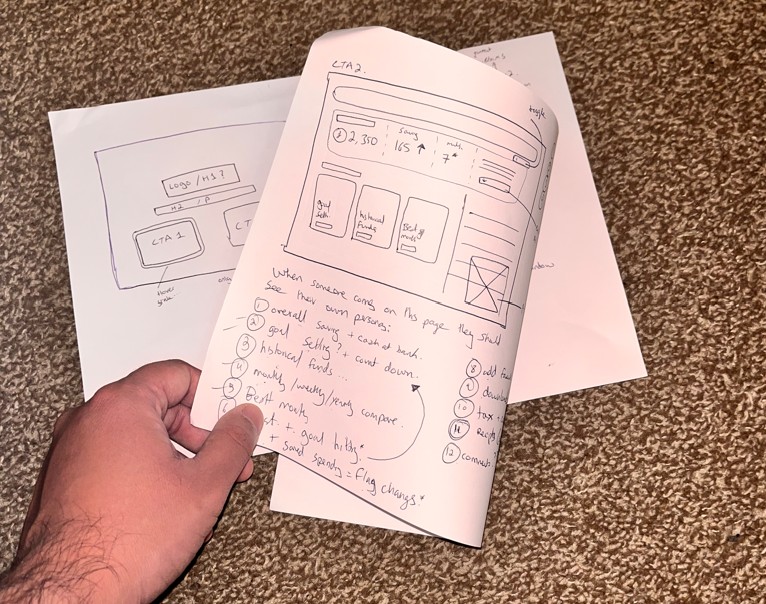
The full work process
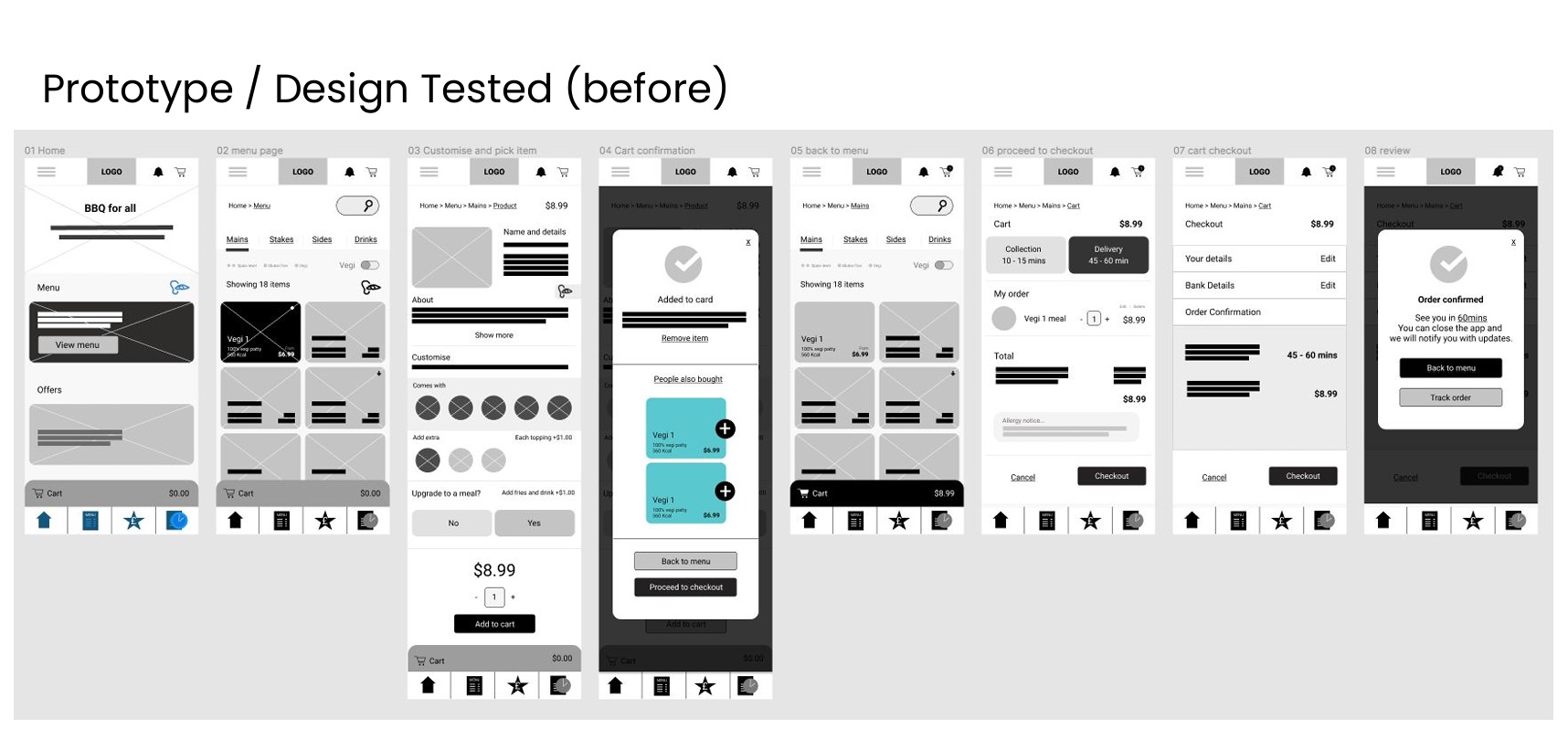
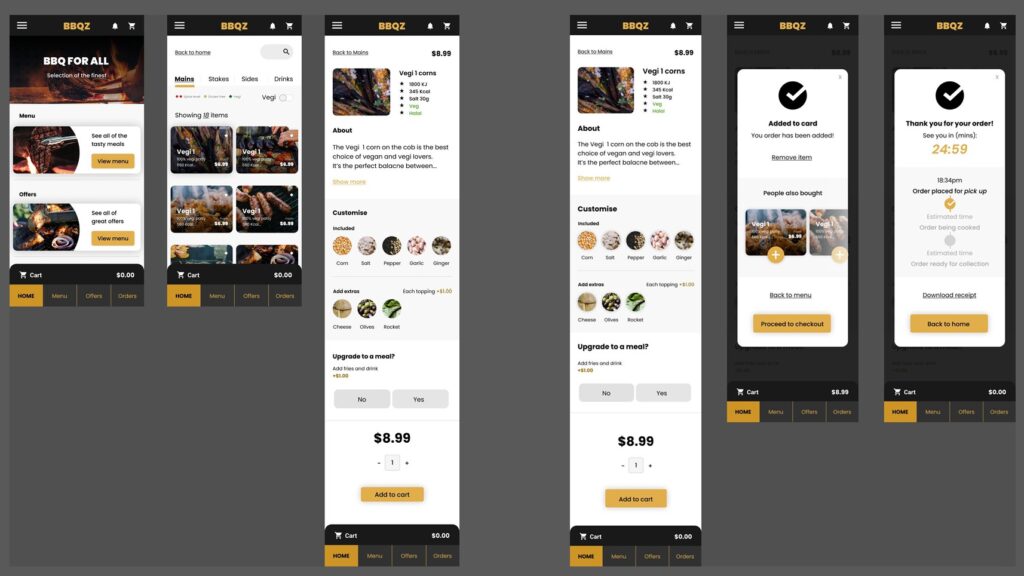
From a UX perspective, my planning process began with researching existing food delivery solutions to understand current patterns and user expectations. I then layered in personal insights from my own food experiences to ground the project in relatable scenarios. Finally, I identified open problems and mapped them into design opportunities, ensuring the workflow addressed real user needs while remaining structured and user‑centred.
My research began at a local level, focusing on nearby food chains and takeaways to understand the behaviours of users most likely to engage with a delivery app. From there, I expanded outward to examine a broader range of food ordering and delivery applications. This comparative analysis helped identify common patterns, usability strengths, and gaps in the market, ensuring the design was informed by both local context and wider industry practices.
1. User Research
- Conducted primary and secondary research to understand user needs, behaviours, and expectations.
- Explored local food chains and delivery habits to ground the project in real scenarios.
2. Competitor Audit
- Analysed existing food ordering and delivery apps.
- Identified strengths, weaknesses, and gaps to inform opportunities for differentiation.
3. Personas
- Created detailed personas representing target users.
- Captured motivations, pain points, and goals to guide design decisions.
4. Information Architecture (IA)
- Structured content and navigation flows to ensure clarity.
- Defined hierarchy and organisation for easy access to features.
5. Journey Mapping
- Mapped end‑to‑end user journeys.
- Highlighted touchpoints, emotions, and potential friction points.
6. Storyboards
- Visualised scenarios of how users would interact with the app.
- Provided narrative context to support empathy in design.
7. Wireframes
- Designed low‑fidelity layouts to establish structure and functionality.
- Iterated quickly to validate flows before visual design.
8. Prototypes
- Built interactive prototypes to simulate real user interactions.
- Used these for usability testing and refinement.
9. Accessibility Considerations
- Ensured designs met accessibility standards (contrast, readability, navigation).
- Focused on inclusivity for diverse user needs.
10. Affinity Diagrams
- Synthesised research findings into clusters of insights.
- Helped identify recurring themes and prioritise design focus areas.
11. Usability Study
- Conducted testing sessions with users.
- Gathered feedback on clarity, ease of use, and satisfaction.
12. Insights & Recommendations
- Documented key learnings from research and testing.
- Recommended improvements to enhance usability and engagement.
13. Branding Considerations
- Explored visual identity elements such as colour, typography, and tone.
- Ensured branding aligned with the app’s goal of being warm, inviting, and trustworthy.
While the primary focus of this project was solving a user problem rather than developing a brand, my design background naturally influenced the visual direction. I ensured the product maintained a clean, appealing look with minimal branding effort, choosing a warm and inviting theme to create a sense of comfort and trust for users.
Design can be highly subjective, and it’s easy to get carried away. Sticking to wireframes and process discipline is challenging, but necessary to maintain clarity while still allowing space for new ideas to emerge.
Also, as the product was something I personally enjoy, found myself leaning toward my own preferences. This reminded me how important it is to step back, check assumptions, and keep the design centred on user needs rather than personal taste.
- Add more AI based features
- Personalisation such as “hello” and the ability to have a animated info banner on home screen – to see order status
- On-boarding animation
- Add more languages and fonts
- Be able to Communicate with restaurant or get real time order info
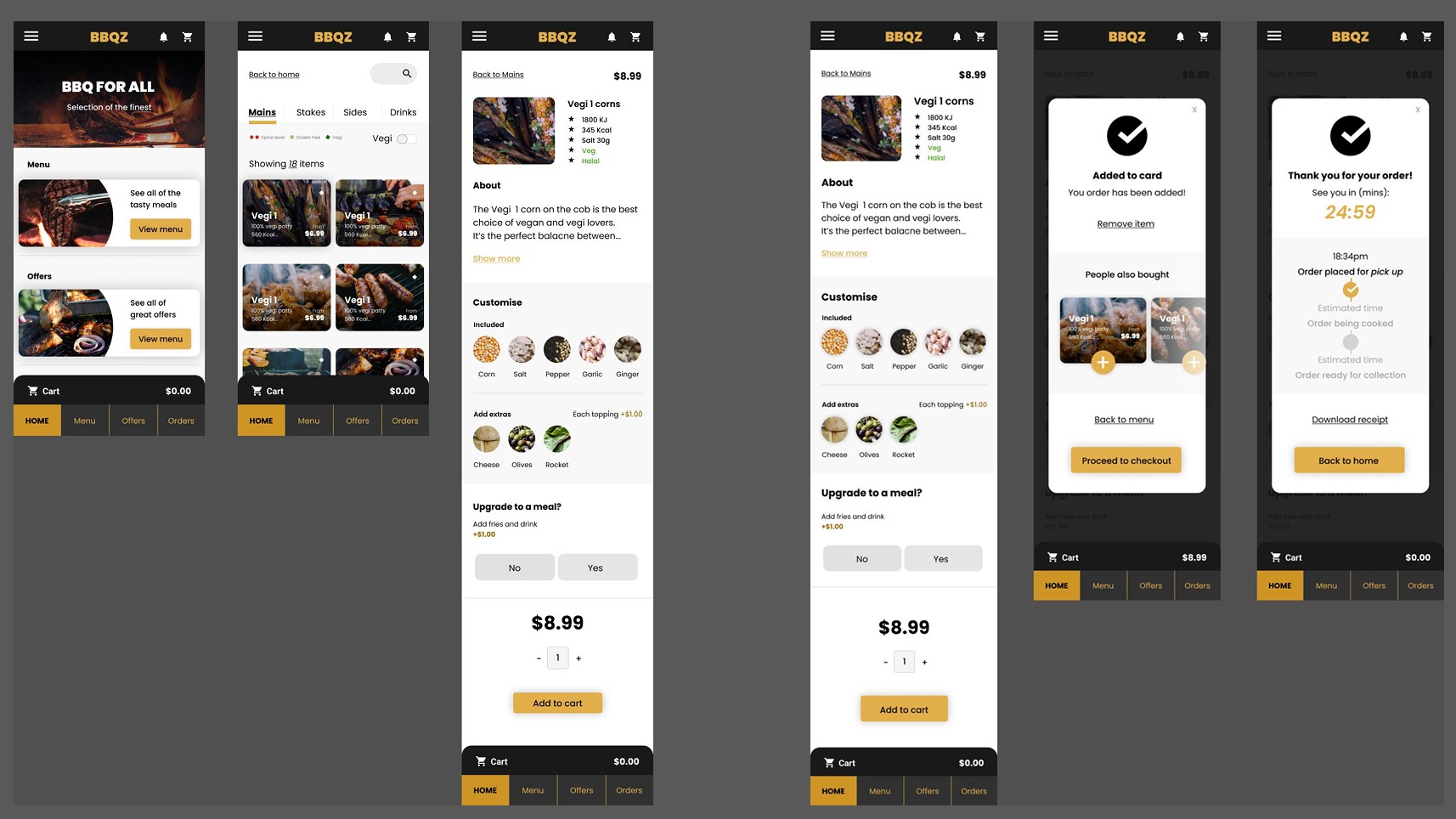
Various screen shots
Please watch the prototype above or get in touch to find out more.
Thank you!
Jump to another case study
Click on another case study to view it.

© creattaf.co.uk 2026. All rights reserved.
All trademarks, logos and brand assets are the property of their respective owners and are displayed for portfolio presentation purposes only. Contact me for more information.